

Six ways to check in. One encrypted record.
Every visitor gets through the door, whatever they carry. The channel changes from visitor to visitor. The data protection stays fixed.
Architecture
01
Check-in channels
- NFC badge or phone
- QR invitation
- Tablet kiosk
- USSD
- SMS
- Assisted entry
02
Site edge
- Android kiosk
- Encrypted local cache
- NFC reader
- MDM-managed device policy
03
API and identity gateway
- Authenticated API
- Rate limits
- Idempotency
- Signed device claims
04
Core application
- Visit workflow
- Risk-based access
- RBAC
- Retention
- DSAR
05
Credential checks
- Contact-channel confirmation
- Site-issued credentials
- NFC credential validation
06
Data and evidence
- Encrypted Postgres
- Append-only audit log
- Evidence packs
Reporting you can defend
Checkpoint turns your own check-in records into decisions your team can act on and figures an auditor can trace back to the source.
- 01
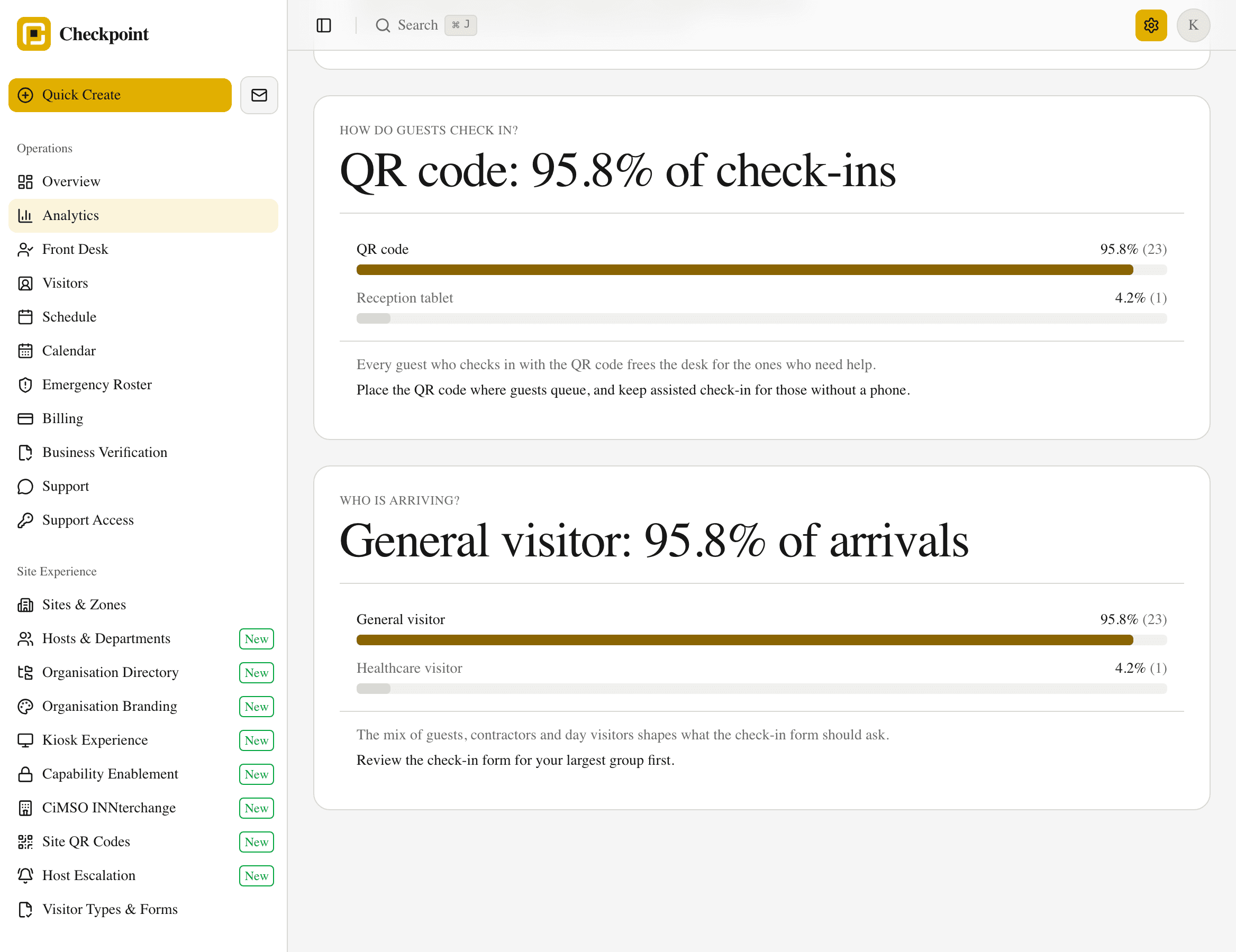
Every chart leads with a finding
Each panel names the question, states what the data shows and suggests the next step, such as the busiest hour of the week and when to add a receptionist.
- 02
Built from counts
Reports use counts of arrivals, so managers see the patterns while guest details stay in the protected visitor record.
- 03
Numbers that reconcile
Every hourly refresh confirms each check-in is counted exactly once, so the dashboard, the export and the audit trail agree.
- 04
Forecasts with a likely range
Arrival forecasts come with a likely range and are measured against last week's pattern, so you know how far to rely on them. They start once a site has four weeks of history.
- 05
Clear gaps, safe sharing
Days without records show clearly as gaps, and shared regional statistics group small numbers so every property and guest stays anonymous.
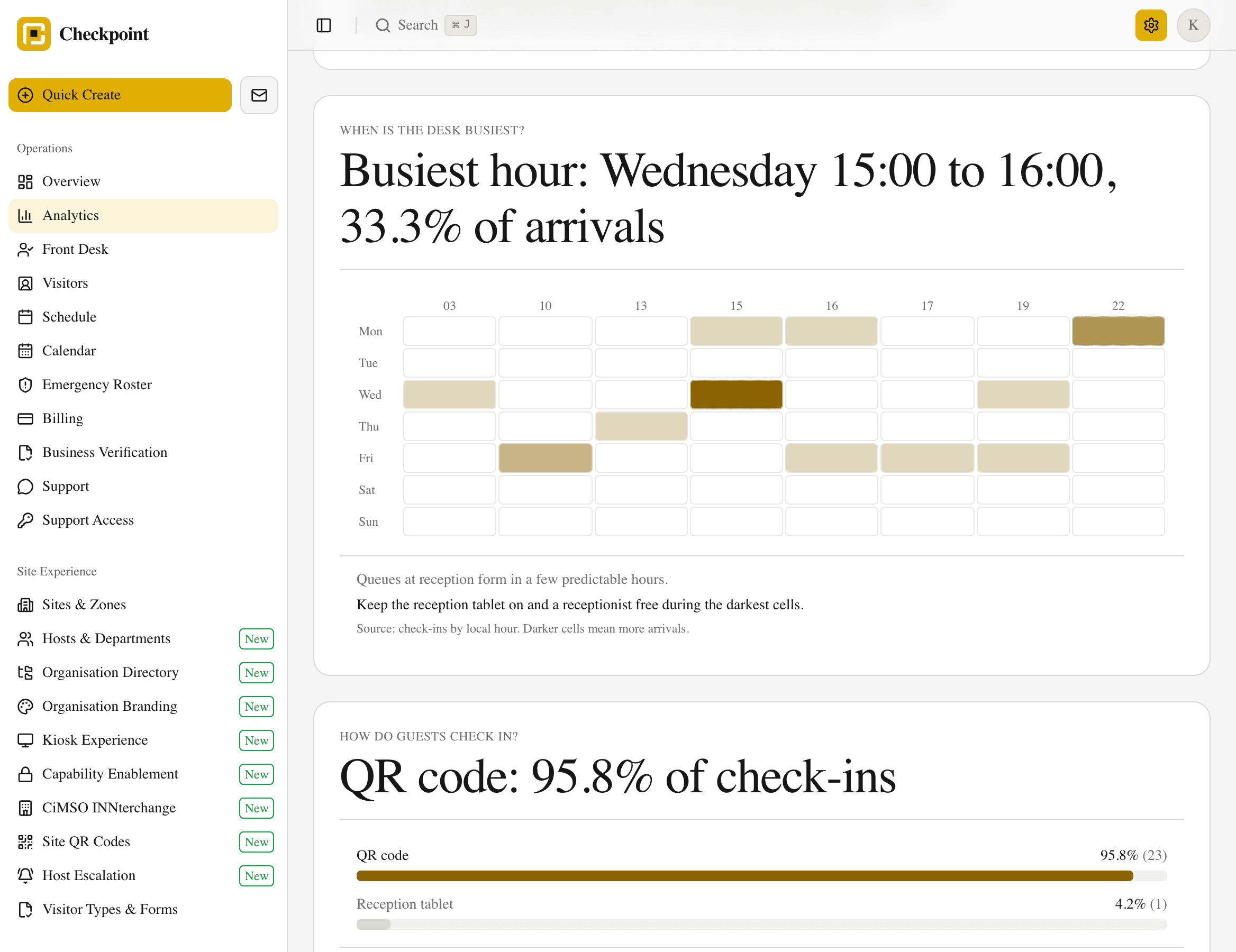
Who the reports are for
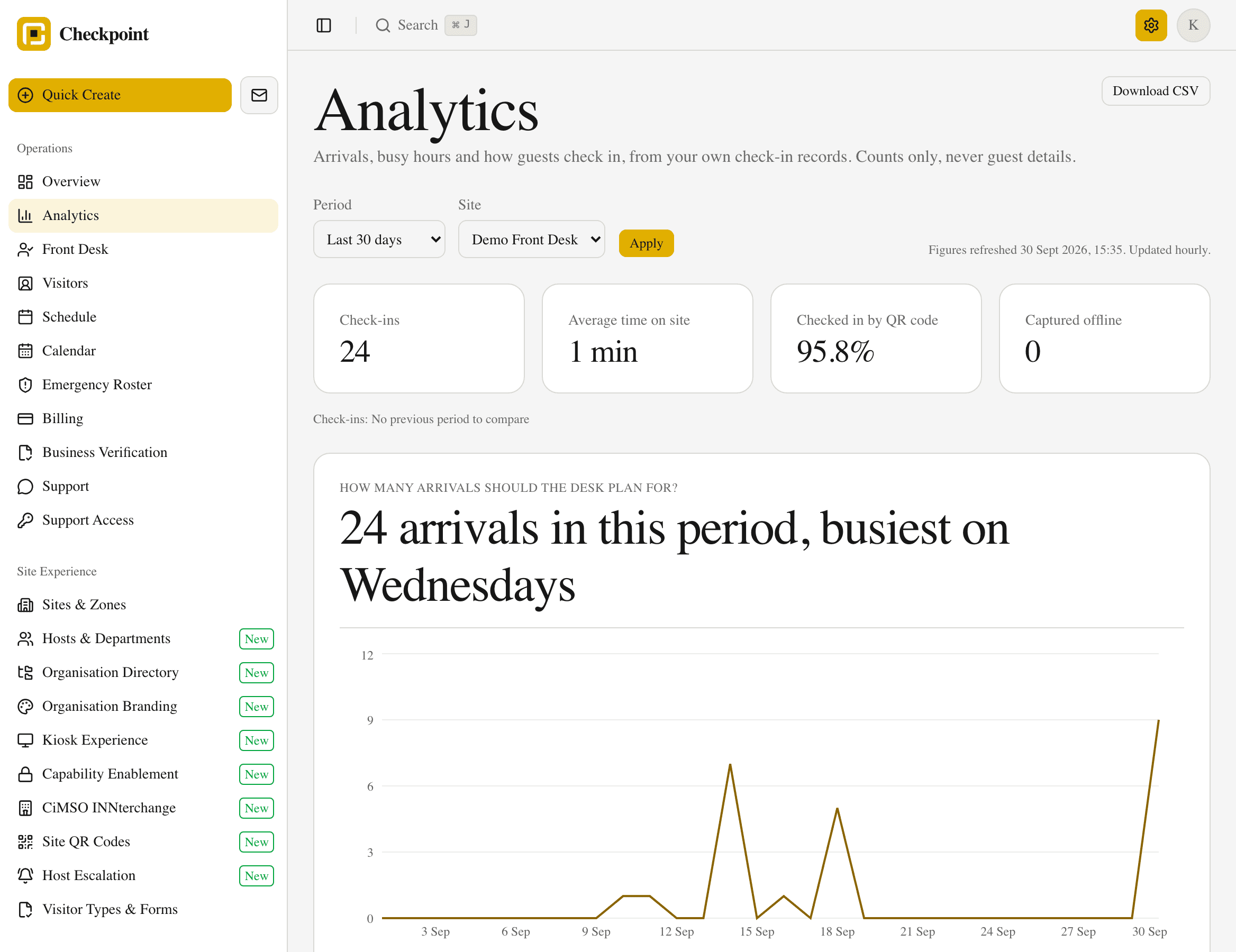
Head office and lodge groups
How do my sites compare?
Filter by site and download the daily counts as a spreadsheet for your own reporting.
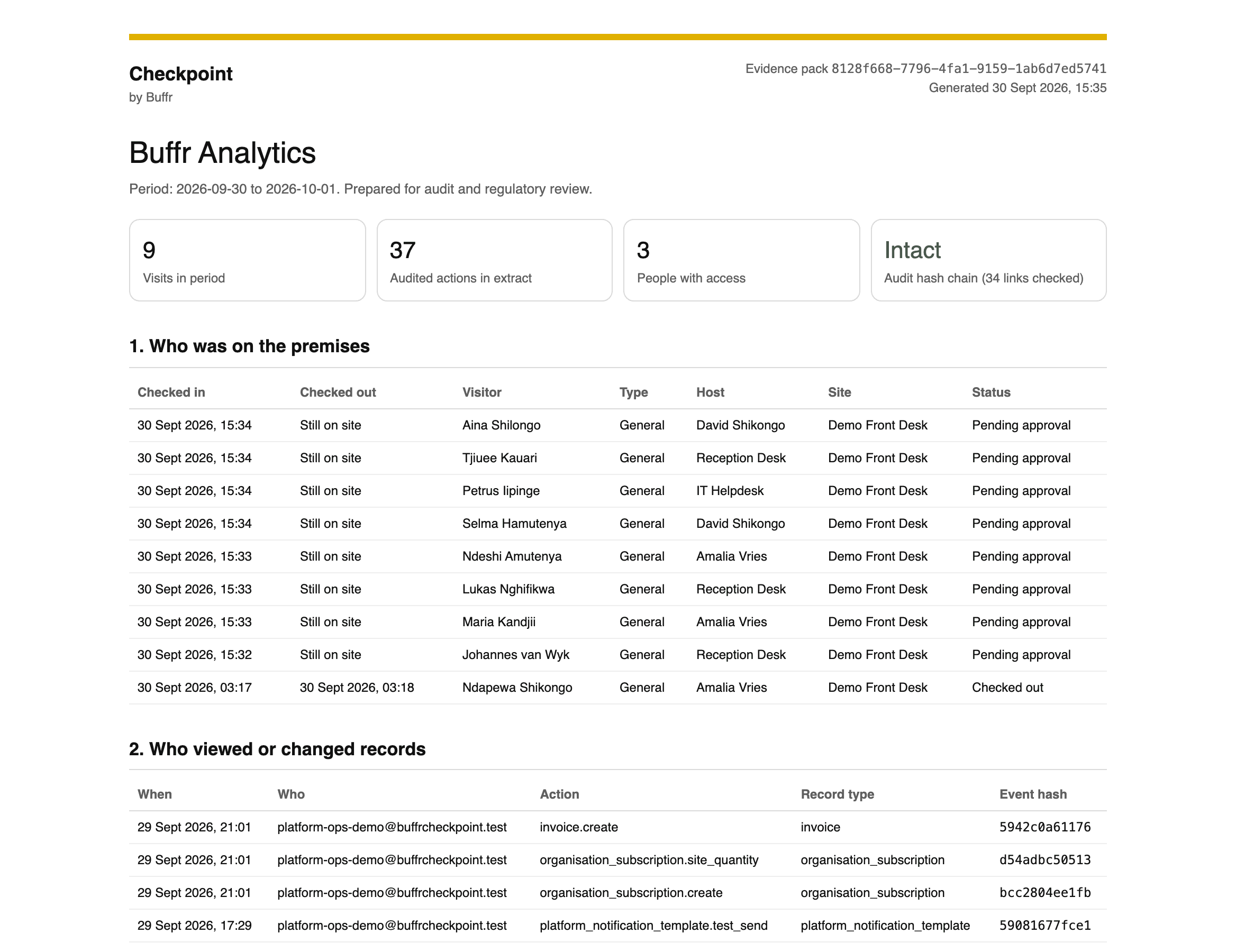
Auditors and compliance officers
Who was on the property on the night of 14 March, and who viewed that record?
The audit trail and evidence packs answer in minutes, not by paging through a book. Evidence packs are on the Assure plan.
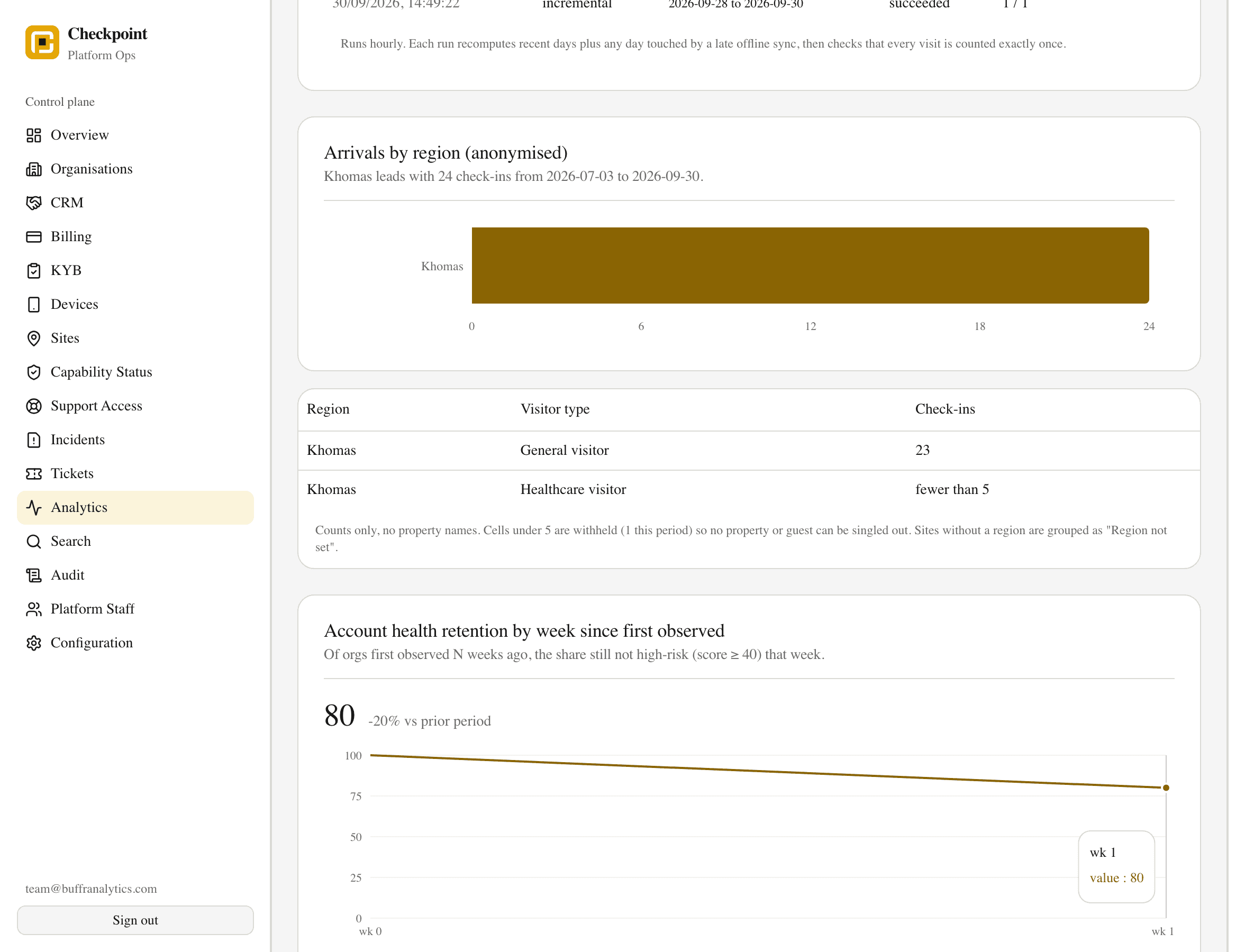
Tourism bodies
How many arrivals by region?
Anonymised regional arrival statistics, with small counts withheld, are available on request.
Role-based access control
Each person on your team sees the visitor records their job needs and nothing more. The server checks access on every request, so hiding a menu item never stands in for a permission.
On a small site, one trusted Owner-Operator account covers front desk, site setup, and day-to-day admin. As the team grows, hand out the separate roles below from the same fixed catalogue.
| Role | View rights | Change rights | Export rights |
|---|---|---|---|
| Visitor | Own confirmation only | Complete own check-in | None |
| Host / Staff | Their own visitors | Approve, reject, update status | None by default |
| Owner-Operator | Site roster and history for one site | Front desk work, site config, compliance review, day-to-day admin | Site reports and configuration exports |
| Front Desk Operator | Current-day roster for assigned site | Assisted check-in, sign-out, badge issue | Current-day operational list |
| Site Manager | Full history for assigned site | Site fields, hosts, local configuration | Site reports |
| Regional Manager | Aggregated sites in assigned region | Limited regional configuration | Regional reports |
| Compliance / Audit Officer | Organisation-wide records and audit trail | Legal holds, retention review, DSAR workflow | Evidence packs |
| System Administrator | Configuration and operational metadata | Roles, sites, policy, integrations | Configuration and audit exports |
| Platform Support | None by default | Time-bound, approved support access only | No routine export |
Frequently asked
How does offline operation work?
The kiosk keeps taking visitors during outages with an encrypted local cache, then syncs when the network returns. The screen shows notification pending until delivery succeeds. It never claims the host heard early.
Where does Checkpoint enforce access control?
In the API and database. Hiding a sidebar link never grants access. Sensitive reads, exports, corrections, and deletions follow the signed-in user's role and site, and each one writes an immutable audit event.
Do we invent our own roles and permissions?
No. You invite people into a fixed role catalogue (Owner-Operator for a small site, or Front Desk, Site Manager, and the rest as you grow). Role changes are audited. Permission sets stay platform-owned.
Does Checkpoint use AI to build check-in forms?
Admins can optionally ask for field suggestions or translations when Form AI is enabled. Suggestions never publish themselves. Your team still sets each field's classification, and high-risk fields still need an approval reference before publish.
Are public check-in forms available in multiple languages?
Yes. Visitors can pick English, Afrikaans, or Portuguese on the public check-in page (or pass ?lang=). Field labels resolve from published translations when available, with English fallback.

Set it up for your own sites.
Create an account, configure your sites, and pay by EFT to go live.